
Download Minimalist Gmail – minimalist, Gmail, productivity, customization, Chrome extension, Google services, interface, email management, clean design, distraction-free
Overview
Minimalist Gmail is a Chrome extension designed to enhance the Gmail experience by offering users greater control over their email interface. Its primary purpose is to streamline the visual layout of Gmail, enabling users to remove distractions and customize the environment to suit their workflow. By focusing on minimalism, the tool helps individuals manage their inboxes more efficiently, particularly those who rely heavily on Google’s ecosystem of services. The extension is especially useful for professionals, remote workers, and digital organizers who value clarity and speed in their daily communication tasks.
By eliminating unnecessary UI elements and reorganizing the interface, Minimalist Gmail supports a distraction-free environment, which can significantly improve concentration and task completion. The app is tailored for users who spend extensive time in Gmail and seek a more personalized, efficient experience. While the developer, Joe C. Jones, is listed, no further background information about the individual or their other projects is available. The extension has been in existence since 2011, indicating long-term stability and consistent use by a niche audience.
Real-world use cases include managing high-volume inboxes, reducing visual fatigue during prolonged email sessions, and centralizing access to Google services. In the broader app ecosystem, Minimalist Gmail fills a critical gap for users who want more control over Gmail’s default design. It represents a lightweight, utility-focused solution that complements rather than replaces core functionality.
Key Features & Functionality
- Customizable Interface: Users can hide unused elements such as sidebars, links, and icons, resulting in a cleaner, more focused inbox. This allows for a tailored experience that aligns with individual work habits.
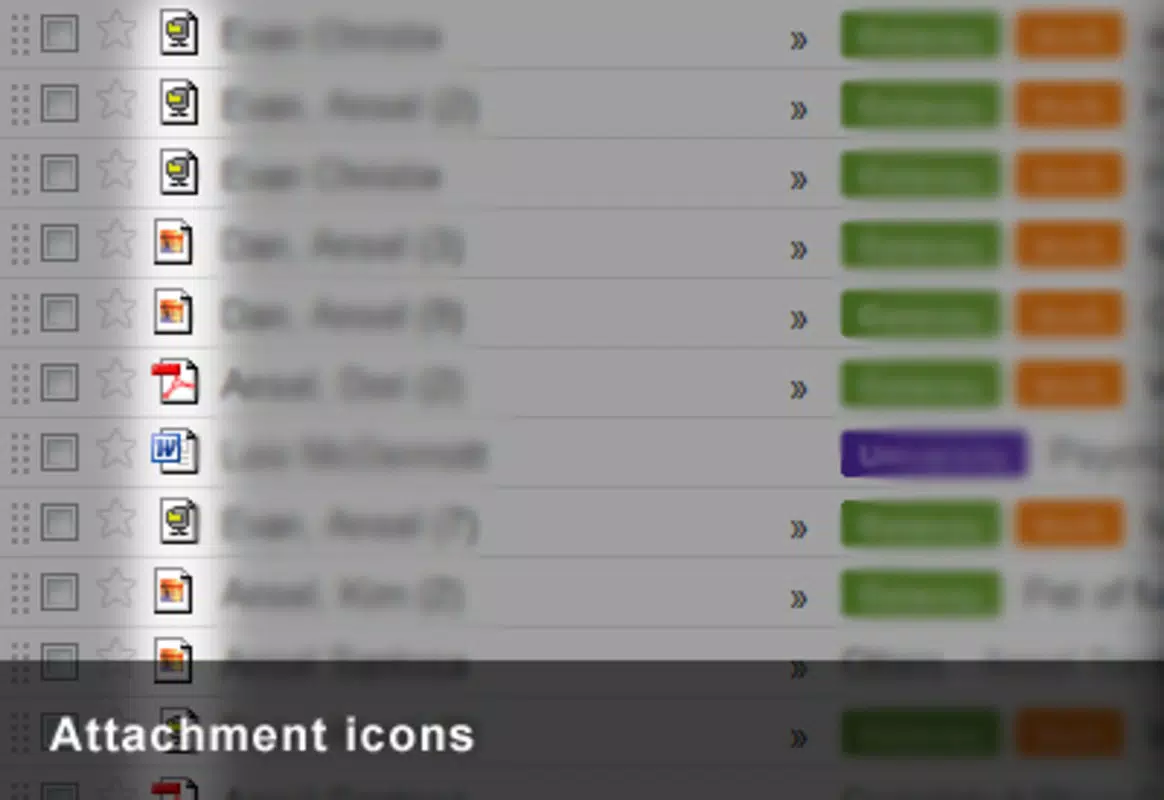
- Enhanced Attachment Visibility: The extension displays file type icons directly in the email list, enabling users to quickly identify documents, images, or videos without opening the message.
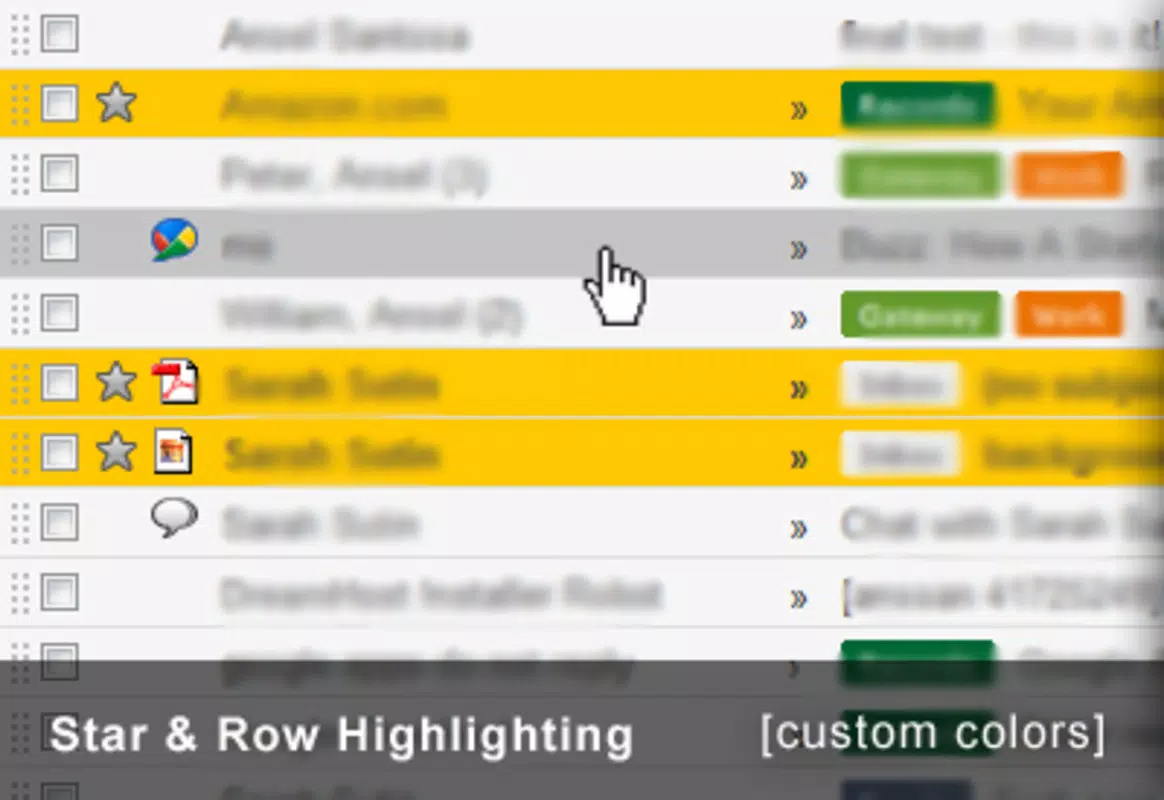
- Color Customization: Users can modify background and text colors to reduce eye strain and create a more visually comfortable workspace, particularly during long email sessions.
- Improved Access to Google Services: Quick links to other Google services are integrated directly into the Gmail interface, minimizing the need to switch between tabs or apps.
These features translate into tangible benefits. For example, a project manager reviewing dozens of daily emails can instantly spot attachments without opening each message. A remote worker using multiple Google tools can access Drive, Calendar, and Meet from within Gmail, reducing context switching. The ability to personalize the interface ensures that the most-used tools are always visible, while less relevant elements are hidden. This level of control enhances productivity and reduces cognitive load.
Interface, UX & Performance
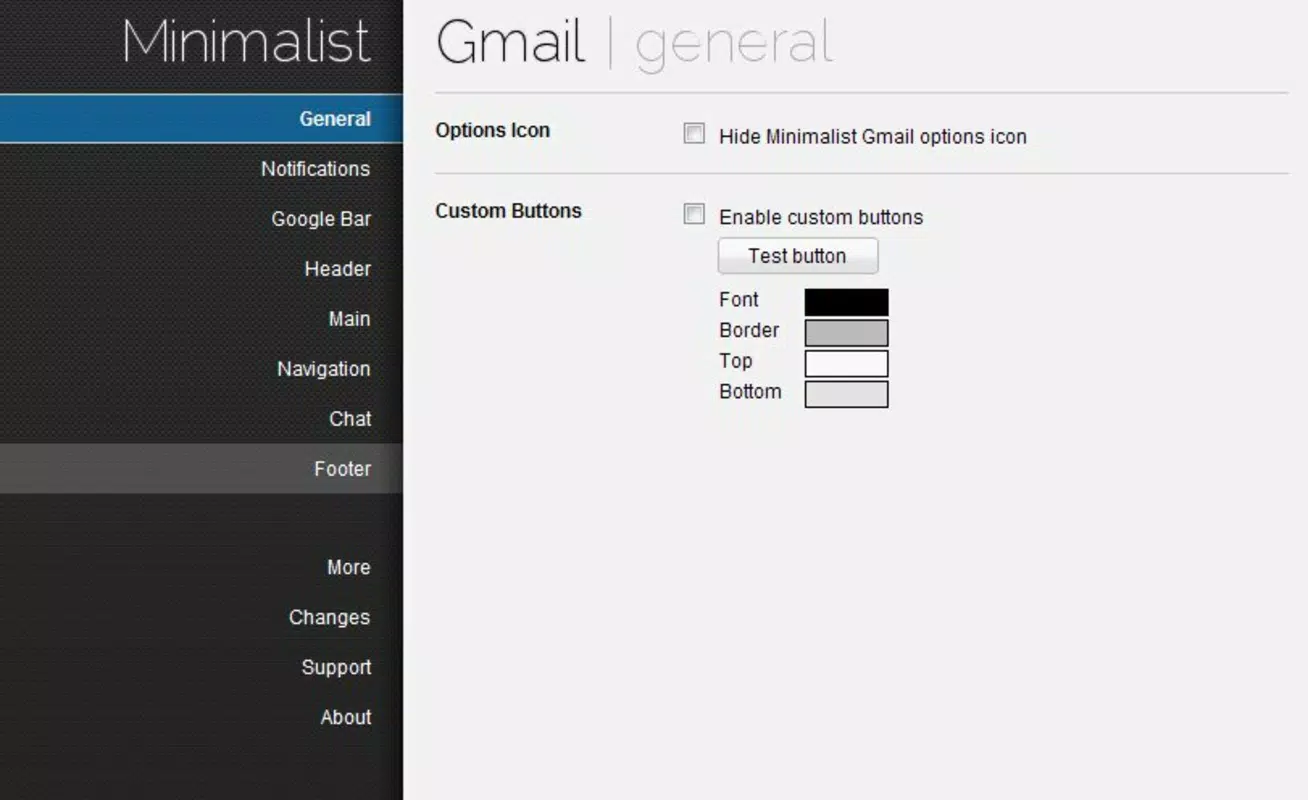
The interface of Minimalist Gmail is designed around simplicity and functionality. It operates entirely within the Gmail web environment, applying visual changes without altering core email functionality. The user experience is intuitive, with options accessible through a settings panel that integrates seamlessly into the existing Gmail layout. Navigation is straightforward, requiring minimal learning curve.
Although the developer did not list formal performance metrics, the extension is reported to run efficiently on standard web browsers. Its lightweight footprint—1.4 MB—suggests minimal impact on system resources. The extension is responsive and maintains stability across various screen sizes and browser configurations. Users can expect consistent performance when managing large inboxes or using multiple tabs.
Stability is supported by its long-standing presence since 2011. While no official updates have been noted beyond version 1.0.0, the extension continues to function reliably within modern Chrome environments. No reports of crashes or conflicts with other extensions have been documented. The clean design philosophy extends to the UX, ensuring that interactions remain smooth and distraction-free.
Platform Compatibility & Technical Requirements
Minimalist Gmail is designed as a Chrome extension, meaning it is compatible exclusively with Google Chrome and browsers that support Chrome extensions. The developer did not specify minimum OS requirements or version compatibility beyond the platform. The file size is listed at 1.4 MB, which is compact and suitable for quick installation.
Users should ensure their Chrome browser is up to date to maintain optimal performance. While the extension is free to install and use, no additional licensing or subscription details were provided. Compatibility with mobile devices is not confirmed, as the extension is intended for desktop use only. Specific requirements for operating systems such as Windows, macOS, or Linux were not disclosed.
Pros and Cons
Pros
- Lightweight and fast-loading with a small file size of 1.4 MB.
- Offers customizable interface to reduce visual clutter and distractions.
- Improves productivity through streamlined access to Google services.
- Enhances attachment visibility with file type icons.
- Free to use with no hidden costs or in-app purchases.
Cons
- Not available as a mobile app; limited to desktop Chrome browsers.
- No official update history or version changelog provided.
- Developer information beyond the name is unavailable.
- Compatibility with newer Chrome versions may require verification.
- Does not include advanced automation or filtering features.
FAQ
Is Minimalist Gmail safe to install?
Yes, the extension is free and available through official Chrome Web Store channels. It does not require sensitive permissions and operates within the secure environment of the browser.
Can I use Minimalist Gmail on mobile devices?
Currently, the extension is designed for desktop use within Google Chrome. There is no mobile app or mobile browser support confirmed.
Does Minimalist Gmail work with all Gmail accounts?
Yes, it is compatible with any Gmail account, including personal, work, and educational accounts, as long as the user is logged into Chrome.
How do I update Minimalist Gmail?
Updates are managed automatically through the Chrome Web Store. Users should ensure their browser is updated and check for extension updates in the Chrome Extensions menu.
Is there a desktop version of Minimalist Gmail?
Yes, Minimalist Gmail is a desktop-only Chrome extension. It runs in the browser and does not have a standalone desktop application.
Final Thoughts
Minimalist Gmail remains a relevant and effective tool for users seeking a cleaner, more efficient email experience. Its focus on customization, distraction-free design, and integration with Google services makes it a valuable utility for professionals and power users. While it lacks modern features like automation or mobile access, its simplicity and reliability are strengths in a cluttered digital landscape.
For anyone who spends significant time in Gmail and desires greater control over their interface, this extension delivers tangible benefits. It’s especially useful for those who value productivity, visual clarity, and seamless access to Google’s ecosystem.
Download Minimalist Gmail now


